RawTake vs LosslessCut
Ahmed El Araby · Updated
LosslessCut changes often. If something below is out of date, tell us and we’ll fix it.
Short answer. If you have one file and want to cut a piece out of it without re-encoding, use LosslessCut. It’s free, open source, runs on Mac, Windows and Linux and has done this job well for years. RawTake is for a different moment: a full shoot (hundreds of Sony clips from a camera card or folder) that needs reviewing, marking, reframing and delivering in one sitting, on a Mac. They share one idea (cutting without re-encoding) and almost nothing else.
What LosslessCut is
LosslessCut is a free, open-source tool by Mikael Finstad for cutting, merging and remuxing video and audio files without re-encoding them. You open a file, set segments and export. The result is the original data copied out, in seconds, at full quality. It handles almost any format FFmpeg can open and it’s honest about its limits: its own website says it’s not for exact cutting, because a cut has to start on a keyframe.
It is the tool RawTake learned the lossless idea from. If you’ve never used it, you should.
What RawTake is
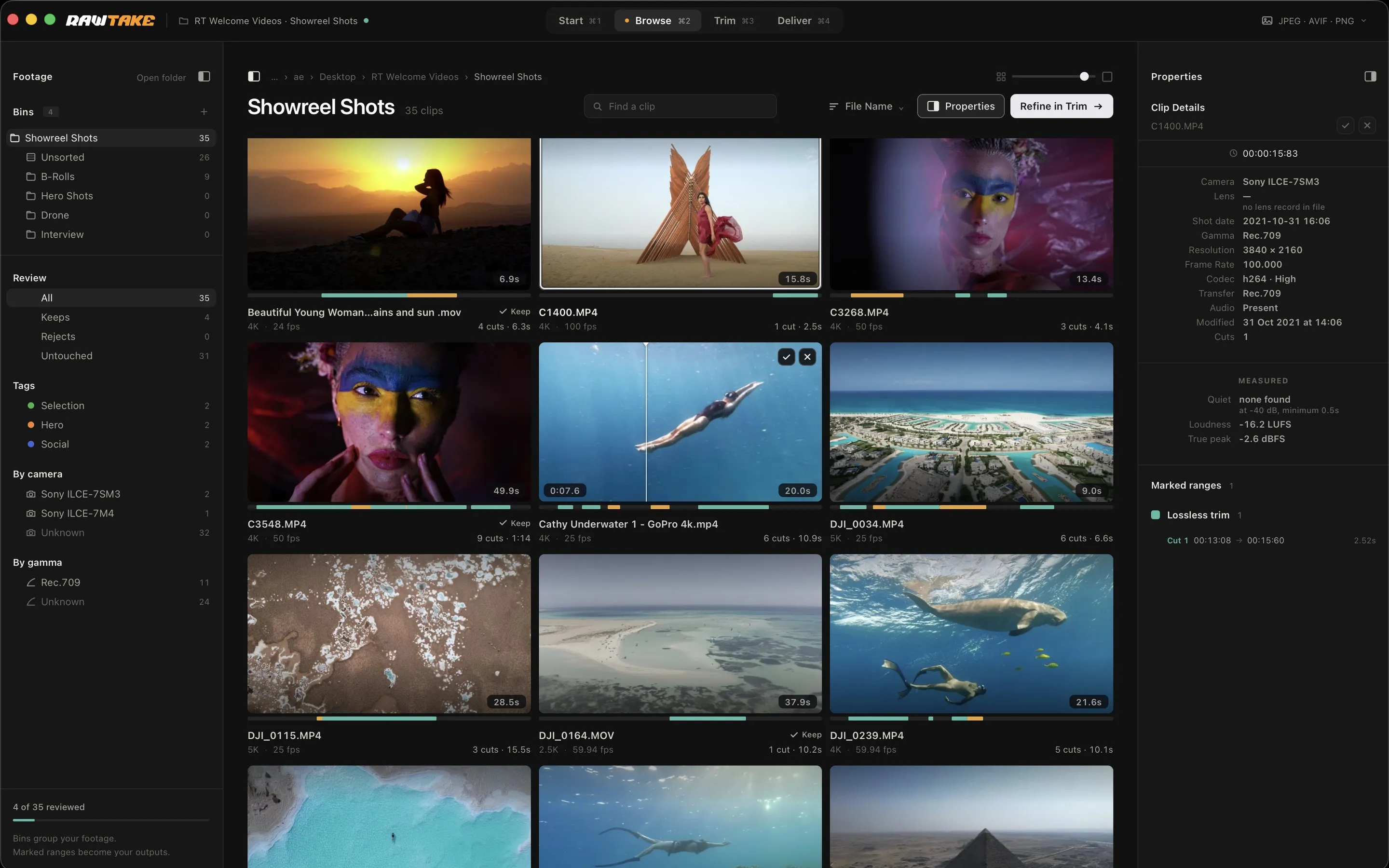
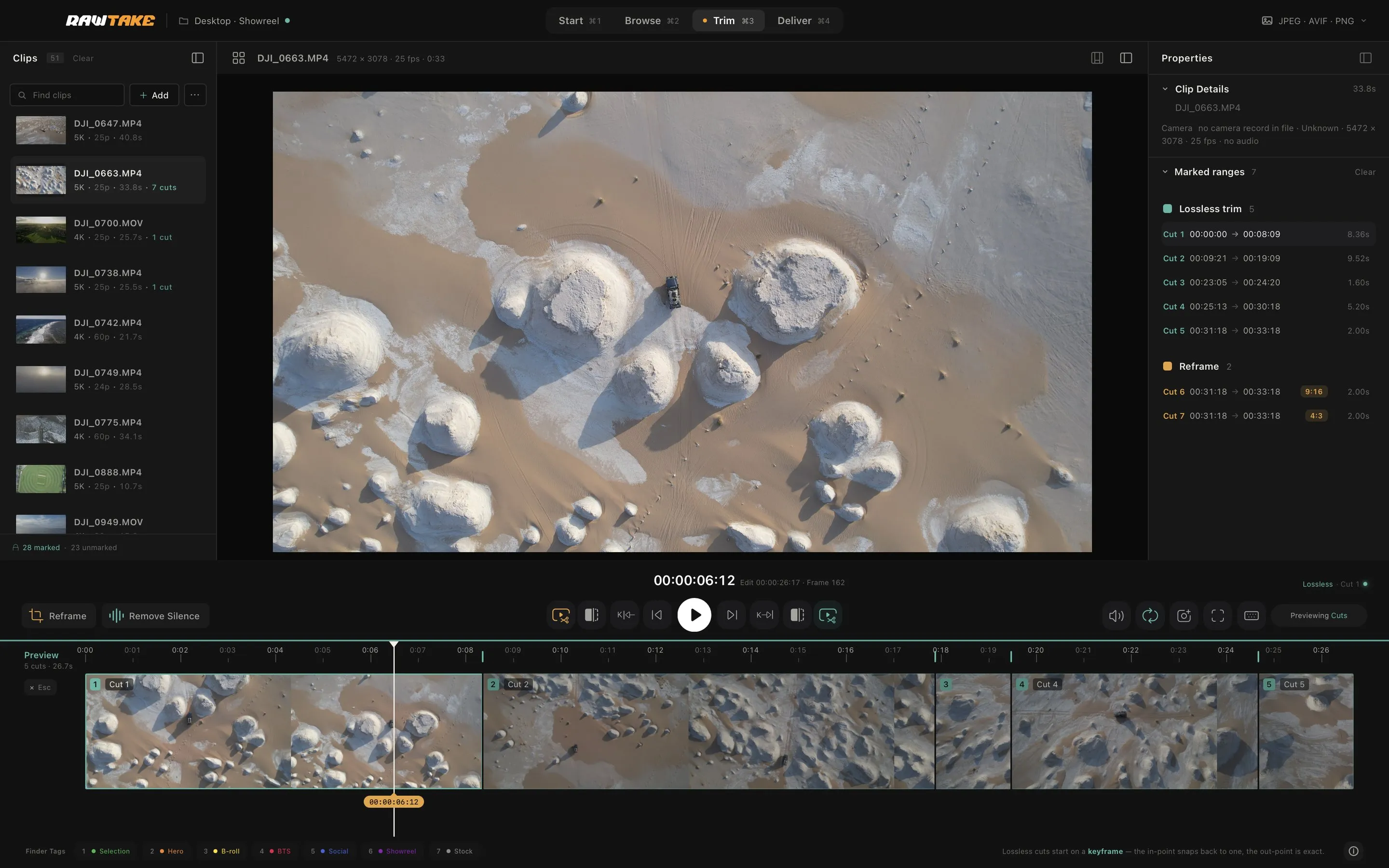
RawTake is a $119 Mac app for the moment after a shoot. You open a folder, look over every clip, mark as many good bits as you like per clip, reframe some of them for vertical or square and run one queue that writes clean files into a new folder. Every file is checked before it’s accepted and the originals are never touched. It also hands an editor a timeline pointing at the camera originals, for DaVinci Resolve or Premiere Pro.
Where they differ
| LosslessCut | RawTake | |
|---|---|---|
| Price | Free on GitHub; paid builds on the Mac App Store and Microsoft Store | $119 once (launch price), 14-day full trial |
| Platforms | Mac, Windows, Linux | Apple silicon Mac only (macOS 11 or later) |
| Lossless cut (no re-encode) | Yes | Yes: plain trims |
| Works on a whole folder in one queue | No: it opens many files but exports one at a time; its docs suggest scripting for batch work | Yes: every marked segment across every clip, one run |
| Review a shoot before cutting | No: a list of file names with no pictures, each file loaded when you pick it | Yes: poster grid, hover-scrub, Keep / Reject, bins |
| Mark by clicking on the poster | No | Yes: click where the good bit starts, click where it ends |
| Multiple segments per clip | Yes | Yes |
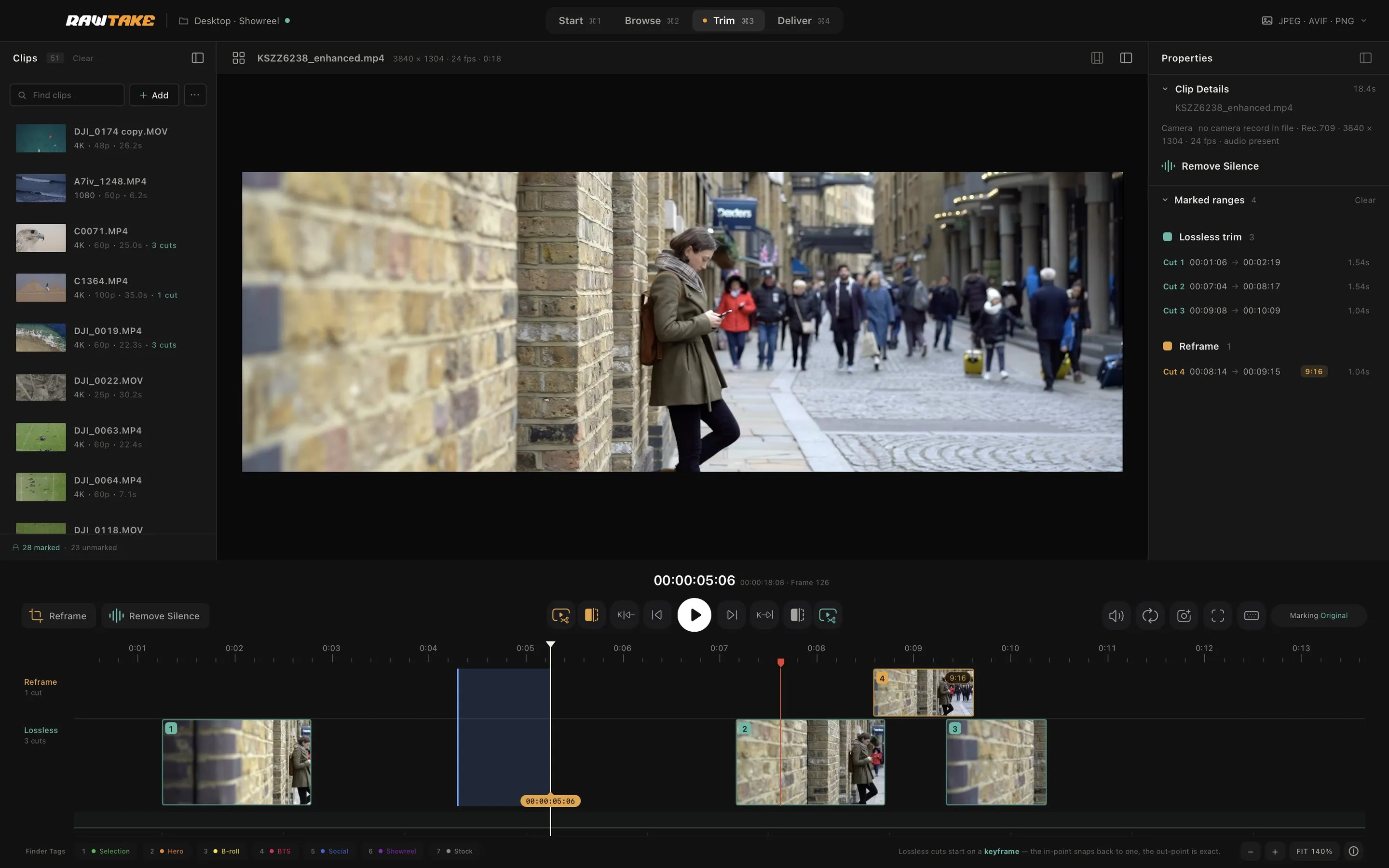
| Timeline for your cuts | One file’s timeline, its segments on it | Two lanes, lossless trims apart from reframes, the colour showing what each will cost |
| Detect silence | Yes: silence, black frames and scene changes | Yes: Remove Silence proposes cuts you can adjust |
| Preview the cut before rendering | Yes (plays segments) | Yes: Preview Cuts plays only your marked cuts, back to back |
| Crop / aspect reframe | Yes, since version 3.69, as a metadata flag: lossless, but not every player honours it | Yes: 9:16, 4:5, 1:1, 16:9, 2.39:1, 4:3 or free, re-encoded once in hardware |
| Flip / rotate | Rotate by metadata flag, lossless | Flip and rotate as a re-encode (the picture actually changes) |
| Plays Sony XAVC MXF | Plays most formats; ones its player can’t handle fall back to lower-quality software playback | Yes: plays the original with Apple’s free Pro Video Formats add-on, a preview copy without it |
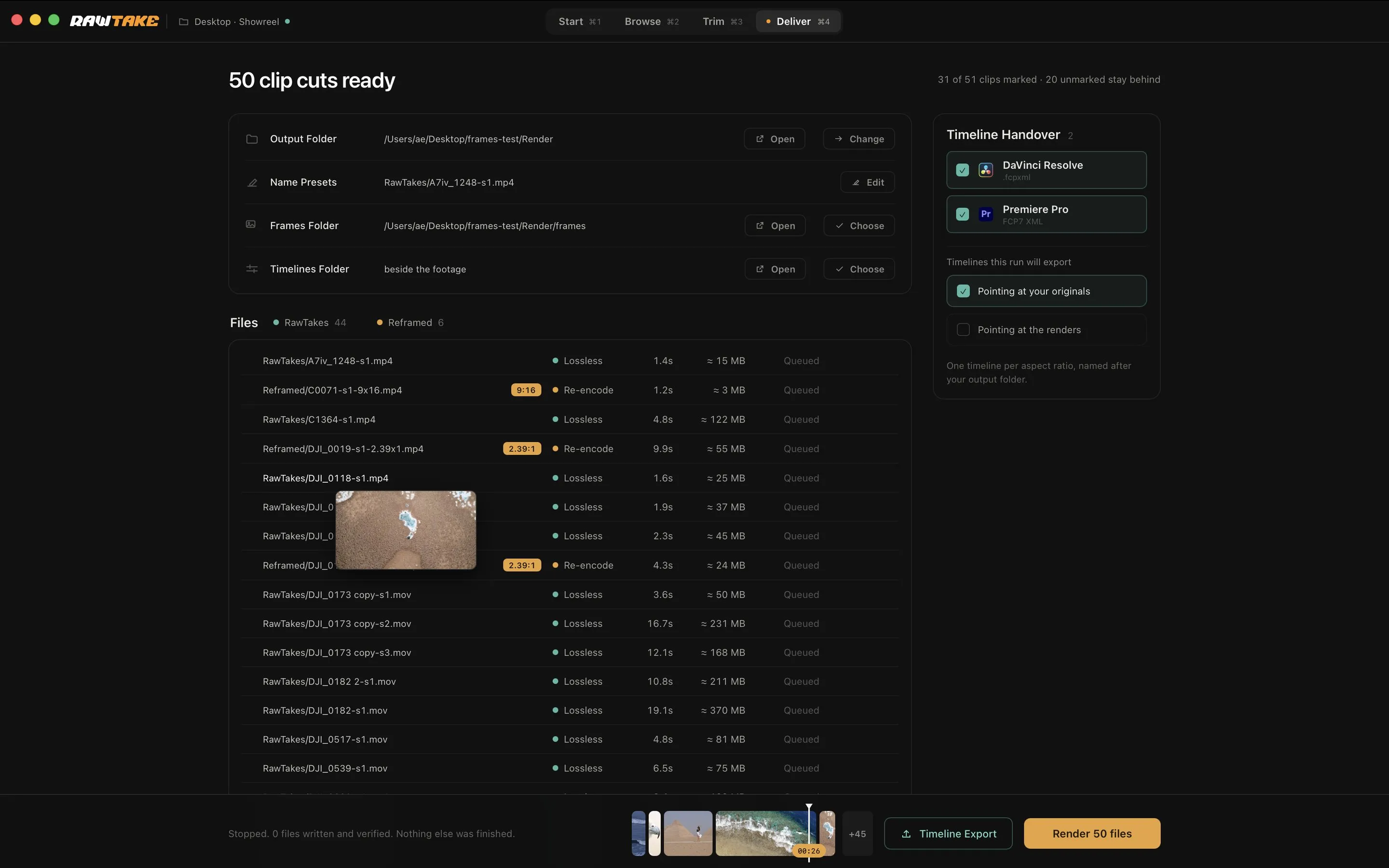
| Tells you the cost before you run | No | Yes: teal = copied, amber = re-encoded, on every segment |
| Checks every output after writing | No | Yes: format and codec on every file, frame count on re-encodes; failures set aside |
| Protection against overwriting | Overwrites existing outputs by default; a setting turns that off | Never overwrites; duplicate names get a suffix |
| Originals never modified | Yes (it only reads) | Yes, by design; the one exception is an optional, reversible Finder tag |
| Timeline for the editor | Imports Resolve / FCP XML segment lists; no editor timeline out | Yes: Resolve FCPXML, Premiere FCP7 XML or both |
| Markers with notes into the editor | No: its labels leave as text files or chapters | Yes: they travel into Premiere; not into Resolve (a Resolve limit) |
| Merge segments into one file | Yes | No |
| Remux container (e.g. MXF to MOV) | Yes | No |
| Pick / drop audio and video streams | Yes | No |
| Save a still frame | Yes | Yes: Frame Snap saves the exact frame at full resolution |
| Formats | Nearly anything FFmpeg opens | Sony XAVC (MXF and MP4), Canon and ARRI MXF, ProRes, DJI, H.264 / HEVC; no camera RAW (BRAW, R3D, X-OCN, N-RAW, ARRIRAW) |
The same limit, handled two ways
Both tools share the keyframe rule: a byte-for-byte copy can only start on a complete frame, so a plain cut can begin slightly before your mark. LosslessCut says so on its website and offers an experimental “smart cut” mode that re-encodes just the first few frames. RawTake doesn’t do that. Instead your mark never moves, the Deliver queue shows exactly where each file really starts and, if you need a frame-exact edge, you add a reframe: that segment re-encodes once through the Mac’s hardware encoder and cuts on the frame. One path for free and lossless, one path for exact, nothing in between.
Who should use which
Use LosslessCut if you have one or a few files, you’re on Windows or Linux, you need to merge clips, swap containers or pull an audio track; or if you simply don’t want to pay for software. It’s very good at this.
Use RawTake if you come back from shoots with a folder full of Sony clips that Finder won’t preview, you need clean selects and vertical reframes out of it the same day, you want every output verified and your originals untouched and you’d rather hand your editor a timeline than a folder.
Use both if you like. RawTake’s outputs are ordinary files; LosslessCut opens them.
Not for you if
You want to edit, colour or mix. Neither tool does that. For that you want Resolve or Premiere, which is exactly where RawTake’s timeline handoff sends you.
Shooting Sony MXF? See how to play XAVC MXF files on a Mac. Comparing media browsers? See RawTake vs Kyno.
LosslessCut is an independent open-source project. RawTake is not affiliated with it. Checked on 21 September 2026.